Down the gopher hole
I was recently reminded of Gopher and Gemini, which serve as alternatives to the World Wide Web as internet protocols and ecosystems. Each of these (the web, Gopher, and Gemini) are layered on top of the internet, but they form distinct networks of interlinked computers.
The proper terminology varies between each of these options; however, most terms have their equivalents. I could create a table to compare them, but I realized that was boring so I made a madlib instead:
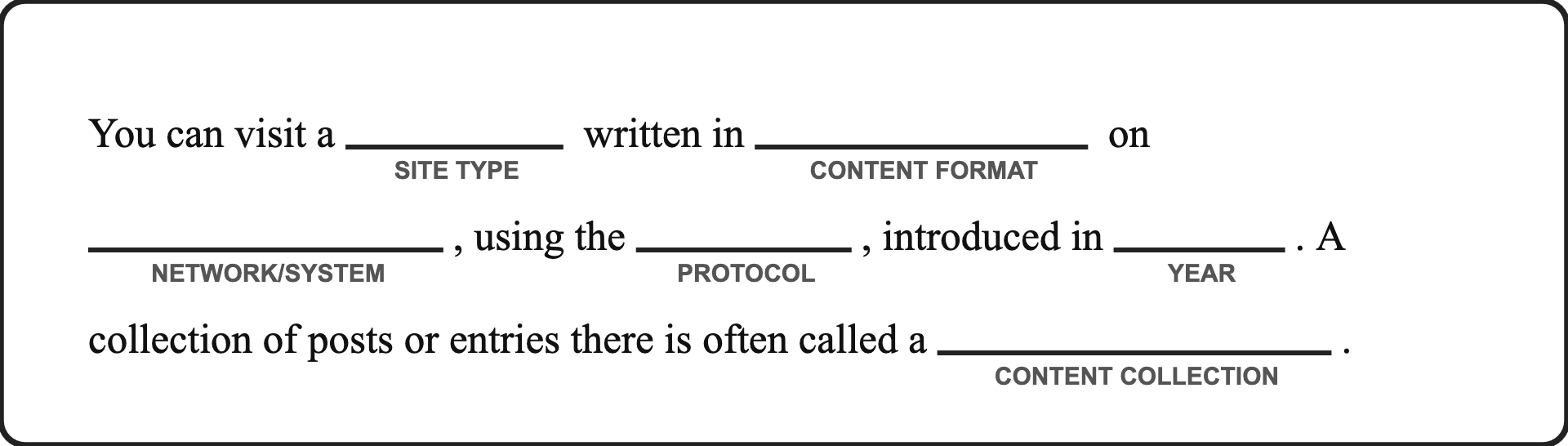
Here's the correct answers for each of the protocols:
- You can visit a website written in HTML on the World Wide Web, using the HTTP/HTTPS protocol, introduced in 1991. A collection of posts or entries there is often called a blog.
- You can visit a gopherhole written in plain text on Gopher, using the Gopher protocol, introduced in 1991. A collection of posts or entries there is often called a phlog.
- You can visit a capsule written in Gemtext on Gemini, using the Gemini protocol, introduced in 2019. A collection of posts or entries there is often called a gemlog.
The term "site" is also used as a catchall to describe a resource (be it a website, gopherhole, or capsule) on any of these protocols. In order to visit one of these sites, you will need a capable browser. The popular web browsers lack support for the much smaller Gopher and Gemini networks, but the protocols and intentionally minimal and as such there is a collection of hobbyist browsers.
In fact, the Gemini project (the more complicated of the two) lists the following aspirations for the project:
It should be possible for somebody who had no part in designing the protocol to accurately hold the entire protocol spec in their head after reading a well-written description of it once or twice.
A basic but usable (not ultra-spartan) client should fit comfortably within 50 or so lines of code in a modern high-level language. Certainly not more than 100.
A client comfortable for daily use which implements every single protocol feature should be a feasible weekend programming project for a single developer.
As a side note, there is a significant community and methodology overlap between Gopher and Gemini despite Gopher being the much older brother (by 28 years). As a result, many browsers in this niche support both Gemini and Gopher, and occasionally other, even-lesser-known protocols.
Clients
As far as clients/browsers go, my personal preference is elpher, an easy-to-use Gopher and Gemini client for Emacs. After running M-x elpher, you are greeted with the homepage featuring a list of useful shortcuts (although, you can navigate just fine with just arrow keys to move, RET to open, and u to go back).
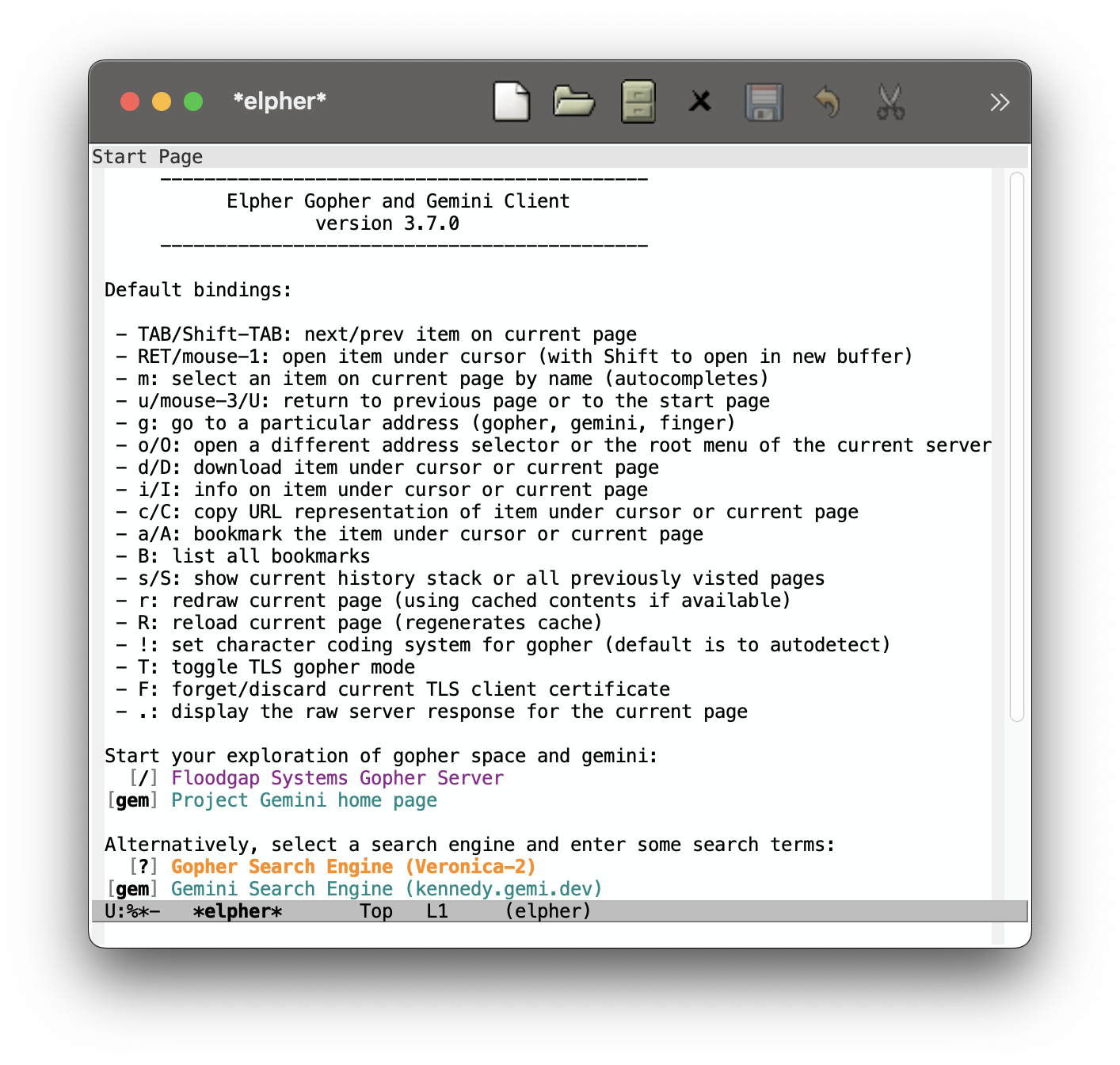
Figure 1: M-x elpher initial buffer
The rest of this webpage will include screenshots of my experience with elpher; however, I also tried Lagrange, a standalone GUI application which fits the spirit of a modern web browser. Personally, I do not enjoy the browser's heavy influence on the UI and feel of sites, but your opinion may differ.
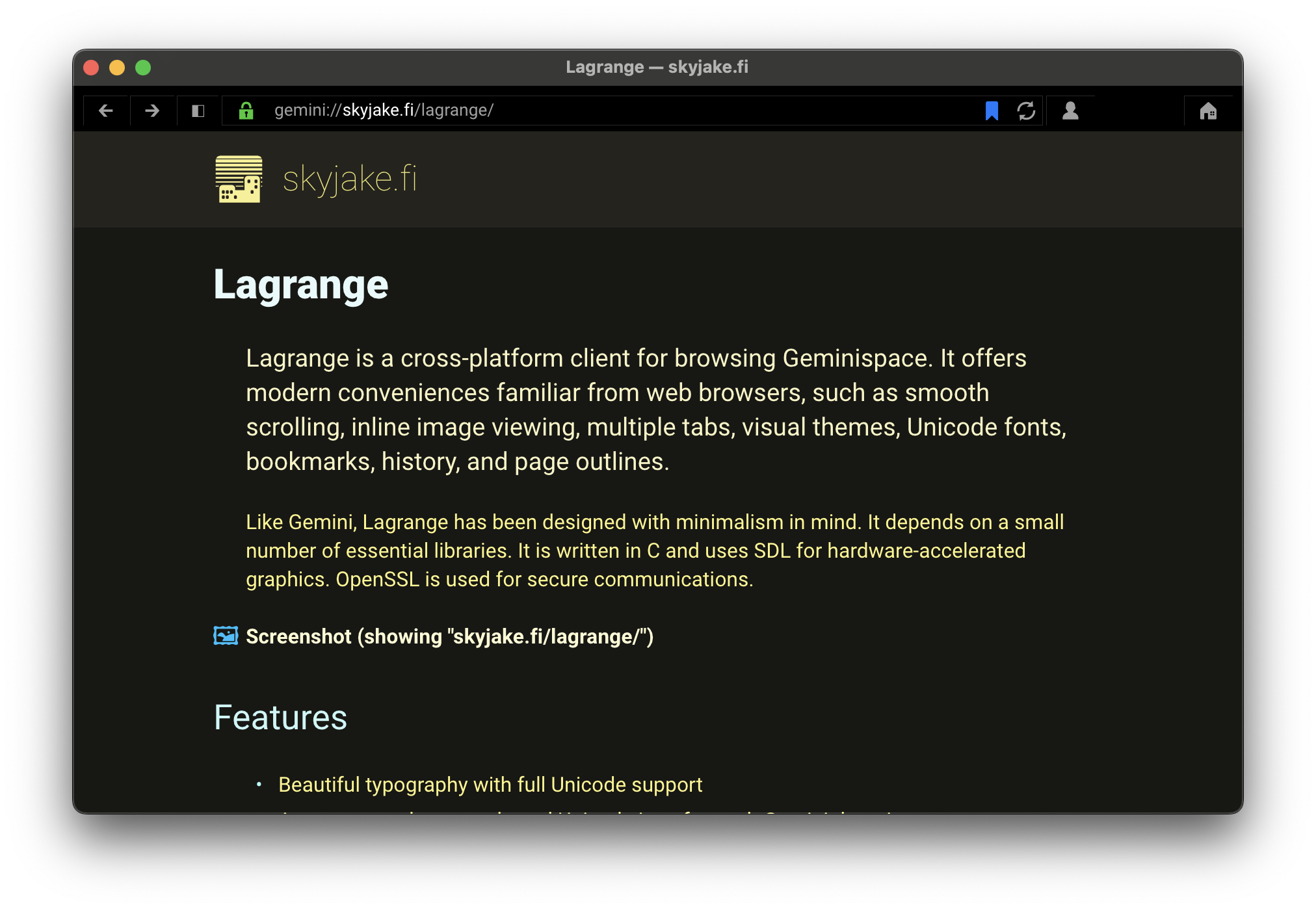
Figure 2: Lagrange's Gemini homepage
Elpher experience
With a base Emacs configuration, you can setup package and install elpher with just a few lines in *scratch*. Below is a small gallery to give you a better feel for elpher's interface, as well as a small sample of the gopherspace and geminispace. The presence of (1) indicates the screenshot is of a gopherhole whereas (2) indicates the screenshot is of a gemini capsule. (You can open any of these images in a new tab if you want to read the content.)
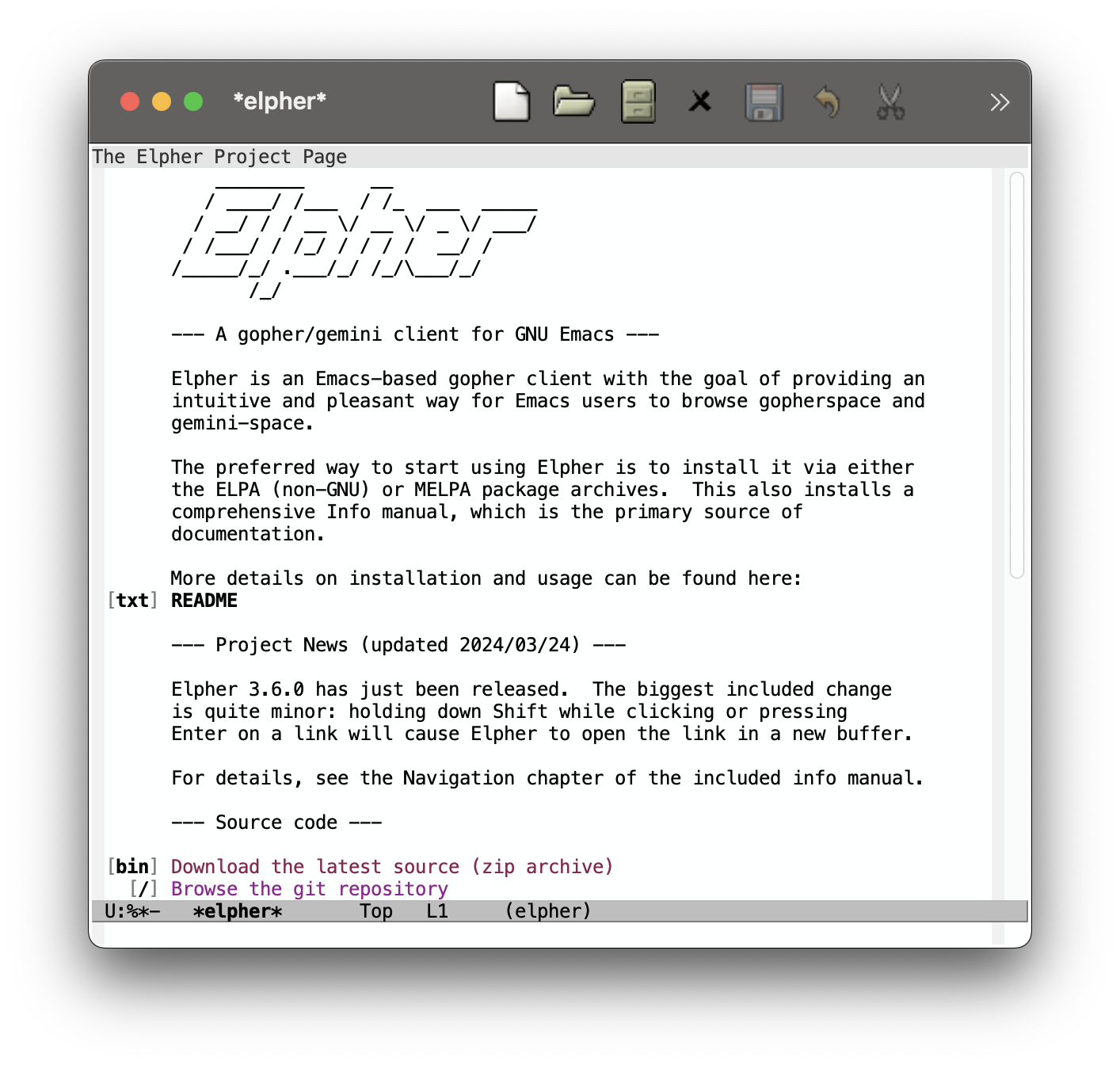
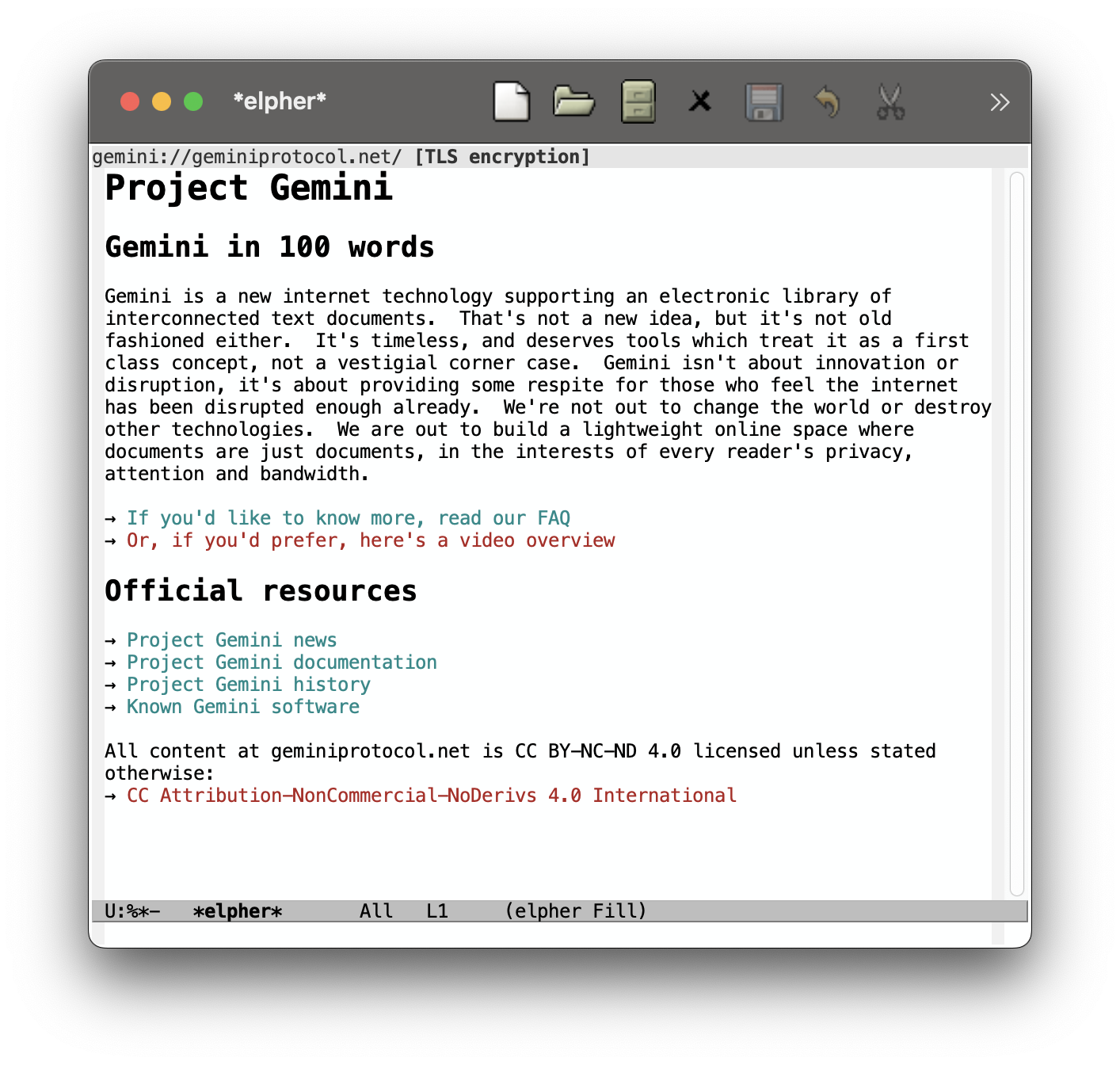
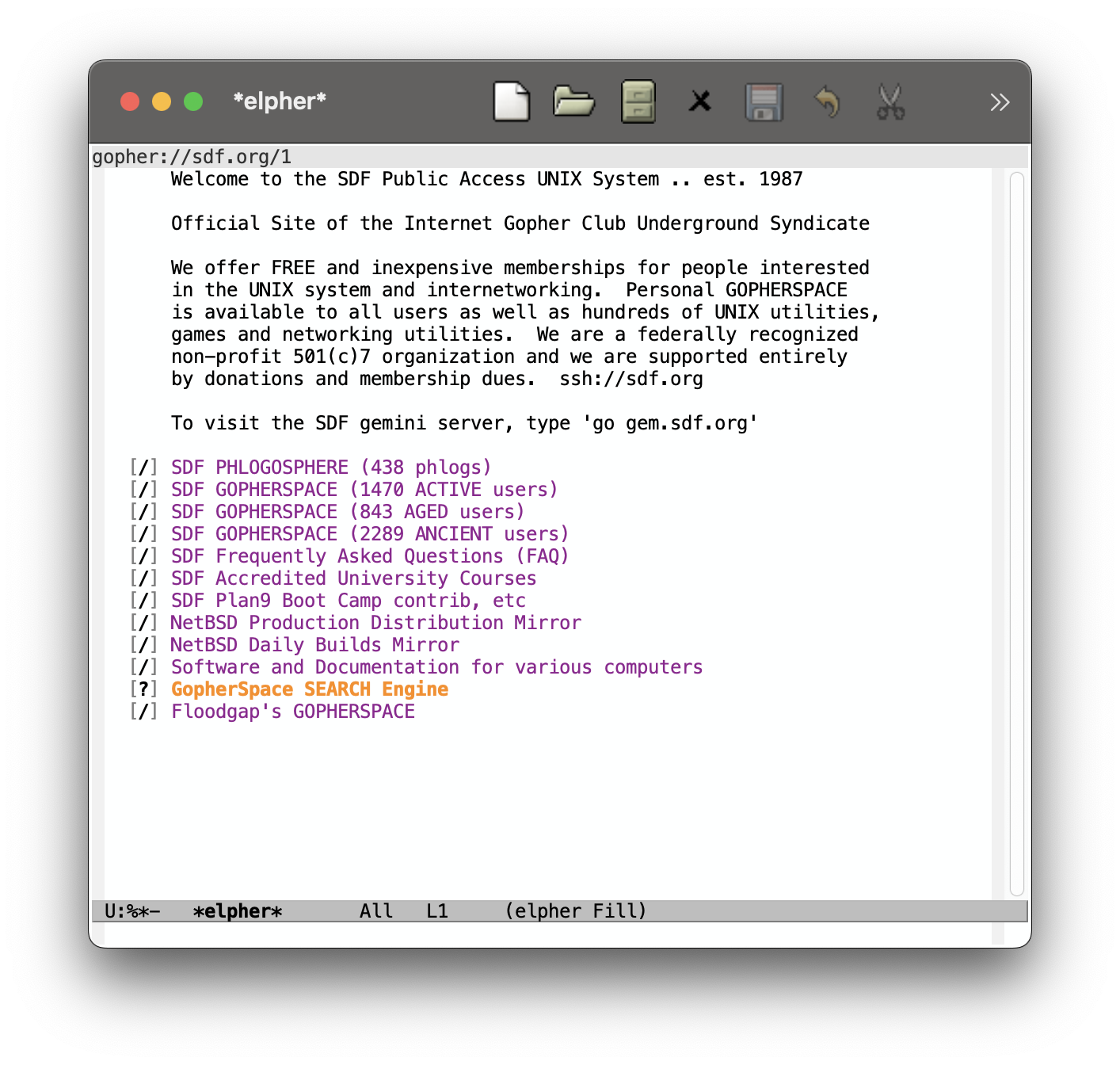
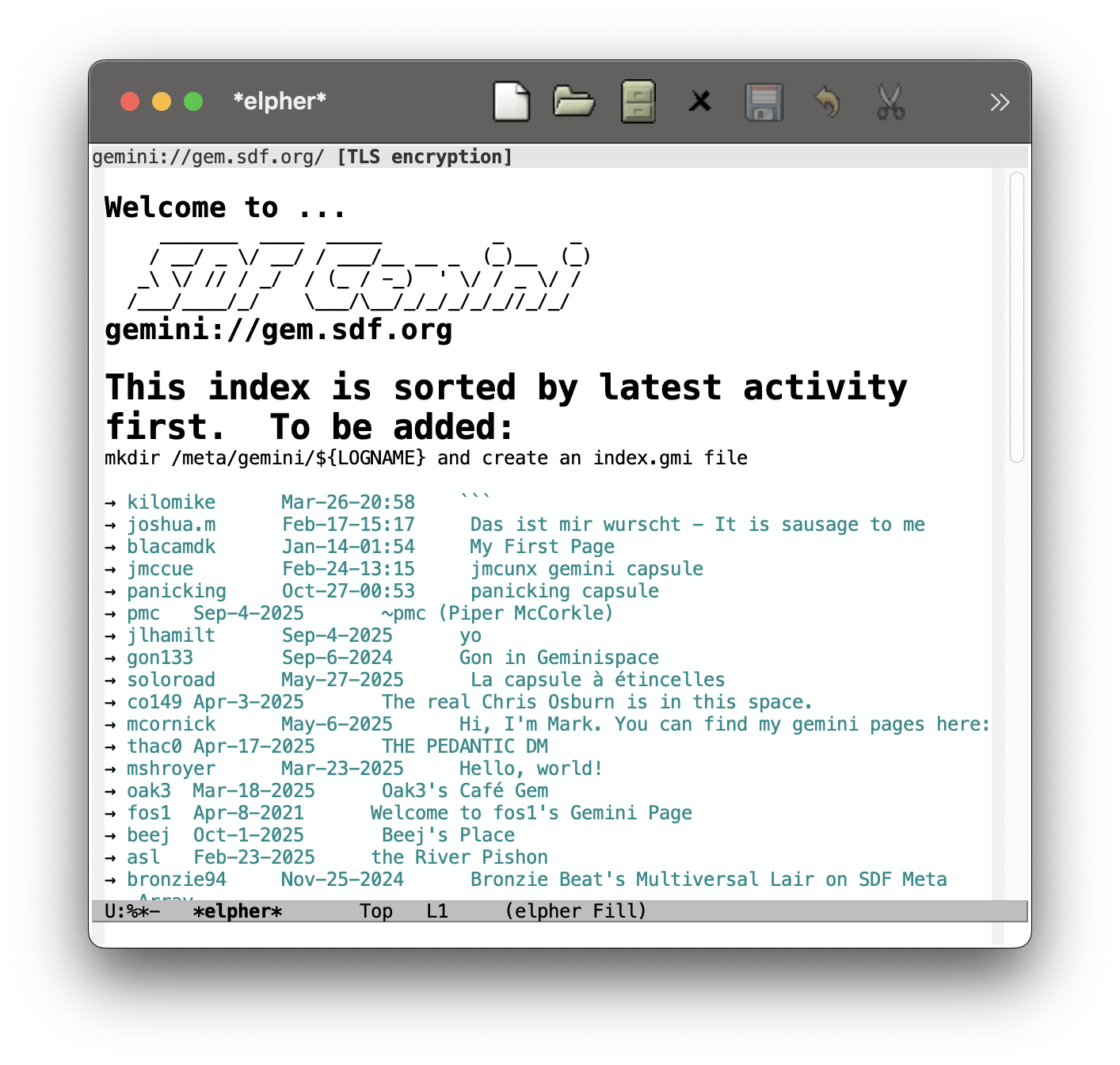
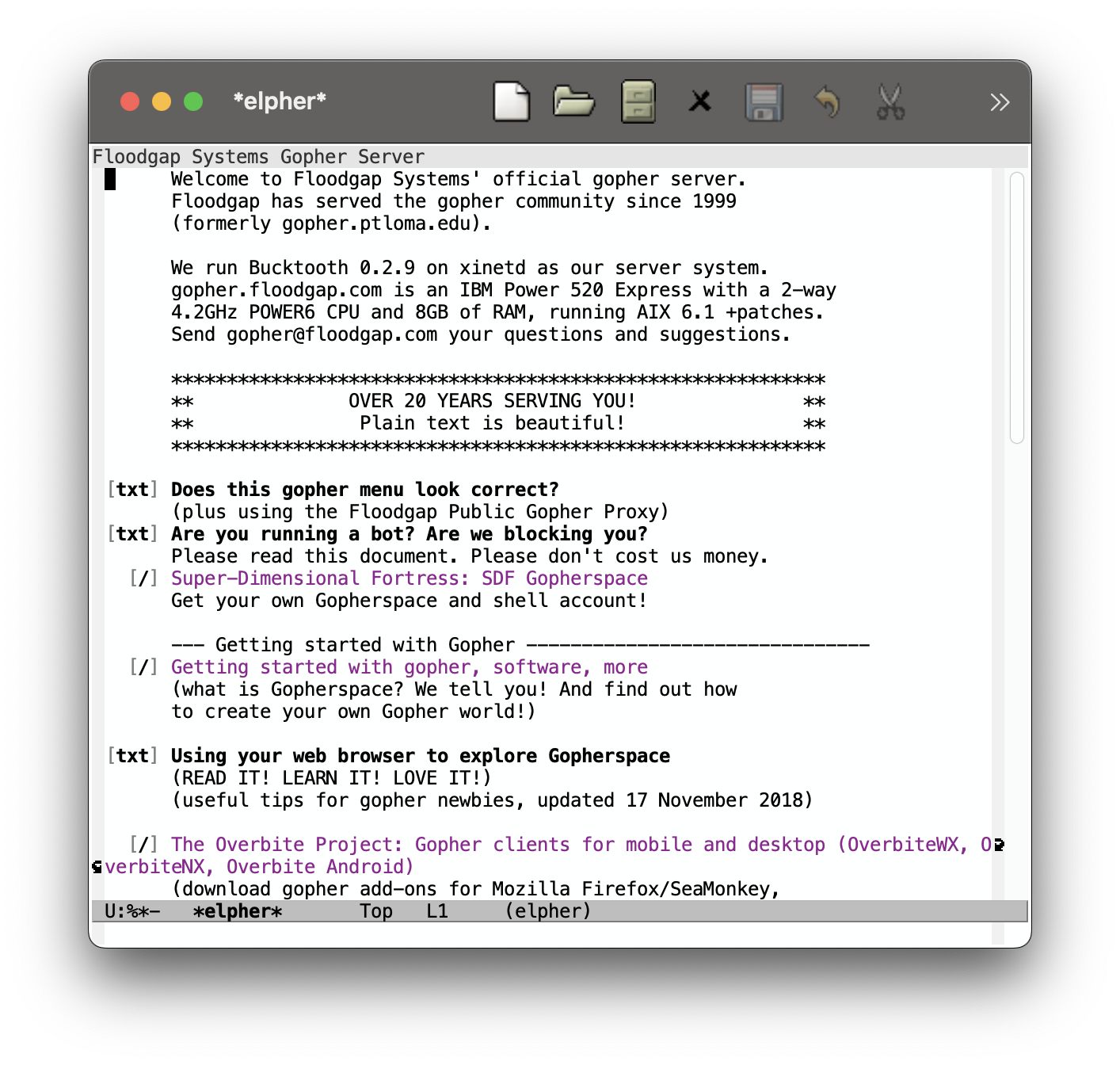
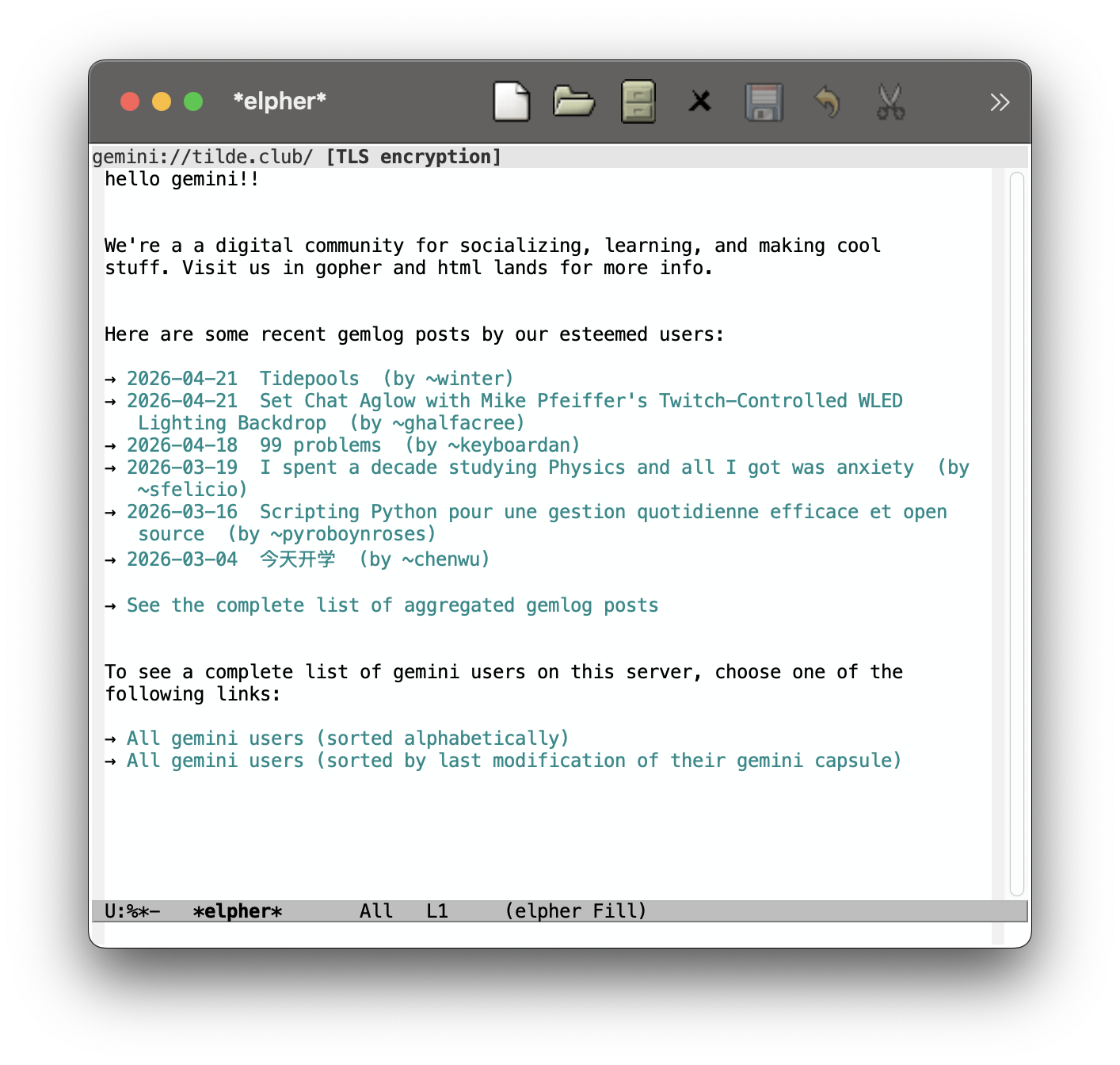
An outright majority of my experience with Gopher and Gemini has been connected to the Tilderverse movement, which is reflected in these screenshot choices. If you are interested in hosting your own gopherhole, gemini capsule, or even static website, then I would greatly recommend looking into different tilde communities as well as the SDF. These public unix servers are their own rabbit hole which I hope to write about in the near future; their community-focused approach to *nix, personal computing, and internet services is a great application for minimalist and human-centric internet protocols– and it gives you a good amount of content to explore. After all, a protocol that leads to nowhere is not very interesting.
Gopher versus Gemini
So far, I've been grouping Gopher and Gemini together; it's easy to do when they are similar in comparison to the World Wide Web, but they are quite different, with distinct protocols and ecosystems.
Gopher's conceptual model is the humble filesystem. Per RFC 1436:
The Internet Gopher protocol is designed primarily to act as a distributed document delivery system. While documents (and services) reside on many servers, Gopher client software presents users with a hierarchy of items and directories much like a file system. In fact, the Gopher interface is designed to resemble a file system since a file system is a good model for locating documents and services.
The original use case of lightweight document sharing in a University setting also paints a specific picture as to the project's focus on text files:
Since Gopher originated in a University setting, one of the goals was for departments to have the option of publishing information from their inexpensive desktop machines, and since much of the information can be presented as simple text files arranged in directories, a protocol modeled after a file system has immediate utility. Because there can be a direct mapping from the file system on the user’s desktop machine to the directory structure published via the Gopher protocol, the problem of writing server software for slow desktop systems is minimized.
The protocol focuses on the narrow role of handling a hierarchical document delivery system with a item-type system to distinguish files, directories, and a few other formats, including GIFs.
Extensions to the Gopher protocol (namely Gopher+) exist to allow for additional metadata to be sent between the server and client; however, such extensions do not appear to have garnered majority support.
Gemini, created in 2019, was significantly inspired by Gopher, but it also benefits from the hindsight of the modern internet. Importantly, it is a parallel project to Gopher, attempting to avoid its shortcomings but not intending to modify or replace it. In the project's own words:
Project Gemini was started by Gopher users, and most of the early adopters were Gopher users, too. The protocol design itself is inspired by the design of Gopher and informed by years of experience using Gopher in the 21st century.
…
And from a Gopher enthusiast's perspective, Gemini is very clearly an attempt at modernisation, not historical re-enactment
As a result, Gemini attempts to straddle the line between improving the technical capabilities of Gopher and falling into the pitfalls of the World Wide Web; it aims to "sit between" Gopher and the web.
If you are already familiar with Gopher and are somehow miraculously learning about Gemini from this webpage, then should read 4. Protocol design from the Gemini Protocol FAQ which explains the protocol differences between Gopher and Gemini; the most obvious difference for an early user of both is that Gemini mandates TLS encryption.
I think it is more enlightening, however, to focus on the ways in which Gemini is intentionally different than the web. The following bullet points are paraphrased or quoted from 4.1.2 I'm familiar with HTTP and HTML. How is Gemini different?:
- "There's only one kind of request, analogous to GET, and the request itself is nothing but a URL."
- "Gemini does not and never will contain an equivalent of the Cookie, Referer or User-Agent headers."
- "Without an equivalent of HTTP's POST method, Gemini does not really support uploads, at least not in a simple and straightforward way."
- "There are no inline images, external stylesheets, fonts or scripts, no iframes, etc."
- "There's nothing like CSS for Gemini."
- "In lieu of cookies, Gemini allows using TLS client certificates as a way for the user to authenticate themselves to apps."
Relative to the web, Gemini's protocol is intentionally restrictive. A major reason for this is to avoid morphing into a sister panopticon to the world wide web, but the simplicity also makes implementation and understanding easier.
Tilde connection
As I implied earlier, there is a great overlap of ethos between tilde communities and small interest protocols like Gopher and Gemini. As tilde servers often provide both the community interest and pre-installed packages for internet hosting, it makes sense that they contain a significant number of small internet users.
Here are some statistics I was able to find in April 2026. (By design, tracking and analytics is typically avoided, so I found these numbers by counting user lists for each service. Note that I making no effort to subtract inactive users, as such this is an upper bound on the true user count.)
| server | # gopher sites | # gemini sites |
|---|---|---|
| tilde.club | 262 | 263 |
| tilde.town | 325 | 112 |
| tilde.pink | 94 | 219 |
| tilde.team | 175 | 240 |
| ctrl-c.club | 0 | 202 |
| sdf.org | (1470/4602 active users) 438 | ? |
As expected due to its age and maturity, the SDF is by far the largest; however, the most comparable number to the other servers is the phlog count of 438. In addition, I could not find a list of users that host Gemini sites on SDF.
Also, the differences in distribution is interesting: ctrl-c.club has no Gopher users (since they do not support it), tilde.pink has over twice as many Gemini users as Gopher users, and tilde.town has almost three times as many Gopher users as Gemini users.
Conclusion
If you are at all interested in Gopher or Gemini, I would highly recommend trying it out! To browse, I recommend elpher for Emacs, but the choice of client is mostly insignificant and easy to change in the future. If you want the easiest possible way to view a Gopherhole, you could even just use curl:
curl gopher://sdf.org | cut -c2- | cut -f1
Unfortunately, there is no fetch command that supports Gemini as far as I am aware. You can similarly preview a Gemini site by opening an openssl connection and manually following the protocol:
printf 'gemini://gem.sdf.org/\r\n' | openssl s_client -connect gem.sdf.org:1965 -quiet
The aforementioned tilde communities are also a great place to browse. Most of them include a list of recently updated sites which makes it easy to stumble upon active phlogs/gemlogs. They also make great places to easily host your own gopherhole/capsule without much setup or cost.
Last updated April 23, 2026