Gnus is the clever acronym for the "Gnus Network User Services", a built-in Emacs newsreader that can handle email, RSS, and more in a single interface. Despite (or perhaps because) its infamy in Emacs circles, it has a reputation for being challenging to setup and use casually. This reputation has some merit; The official Gnus Manual is a 433 page PDF, which I can almost guarantee is 433 pages more than you read before using your current email and/or RSS client.
However, email within Emacs can be quite nice if you already call this text editor your digital home. Imagine: your existing keybindings, snippets, buffer system all also working with your emails. And best of all, it means you have one less reason to ever tab out of Emacs. What more could you ask for?
So, here is my unqualified idiot's guide to getting Gnus working for you (aka this is what I did and it works for me so maybe it would work for you--or me in the future when I forget how I did this).
If you (like me), still use gmail because you actually have to get work done sometimes (not to mention other reasons: signing up for email prior to caring about privacy, needing to email people that also don't understand how email works and any other domain will scare them, etc), it is surprisingly easy to pull your email into Gnus. First, you need to create an authentication token, which Google refers to as an "App Password", at https://myaccount.google.com/apppasswords. Then, create a file at ~/.authinfo and write the following line (obviously replacing square brackets with expected values):
machine gmail login [replace with user@gmail.com] password [replace with app-password]
Now, we will configure Gnus in Emacs (likely in your init.el) to use the gmail IMAP and SMTP servers. For context, SMTP (Simple Mail Transfer Protocol) handles sending email whereas IMAP (Internet Message Access Protocol) handles receiving and synchronizing email. Since your authentication is stored in ~/.authinfo from the previous step, you can copy this literally without inserting variables:
(setq gnus-select-method
      '(nnimap "gmail"
               (nnimap-address "imap.gmail.com")
               (nnimap-server-port 993)
               (nnimap-stream ssl)
               (nnir-search-engine imap)))

(setq smtpmail-smtp-server "smtp.gmail.com"
      smtpmail-smtp-service 587
      smtpmail-stream-type 'starttls
      send-mail-function 'smtpmail-send-it
      message-send-mail-function 'smtpmail-send-it)
Now, you should be able to use Gnus to read and send email. Launch Gnus with M-x gnus. After taking a moment to sync, it should look something like this:
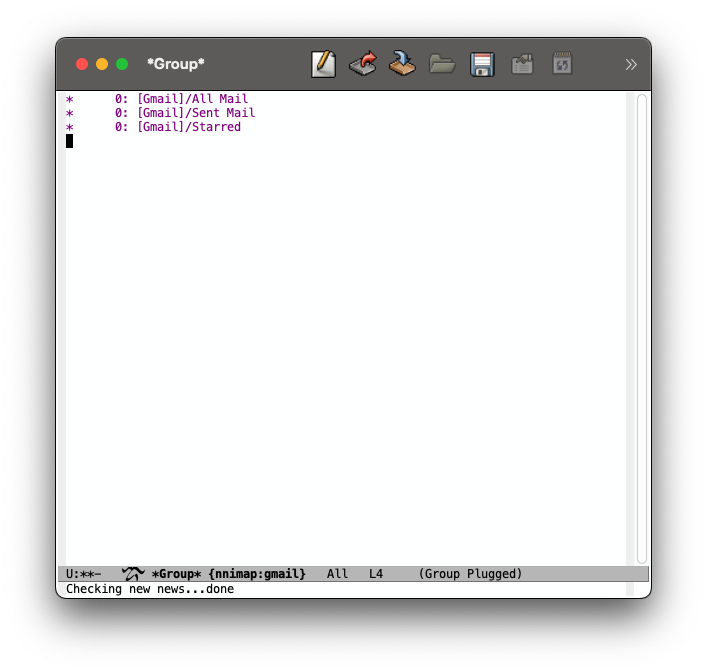
You can open one of the groups using the RET key, mark an email as read using d, then back out using q. Your normal process for finding keybindings (such as the manual, which-key, etc) should now be useful, but I'll explain my process for adding RSS feeds and organizing groups using "topics".
To enter the topic view, press t. By default, you should see the "misc" topic nested under the "Gnus" topics. You can create a new topic using T n and move it around with T m. In addition to moving topics, T m can also move the group under the pointer to a different topic.
To create a new group (such as an RSS Feed), you can use G R, enter the feed URL, then follow the prompts.
For example, I created a new topic called "rss" then created a group for xkcd.com. After moving the new group into the rss topic, my Gnus group screen now looks like this:
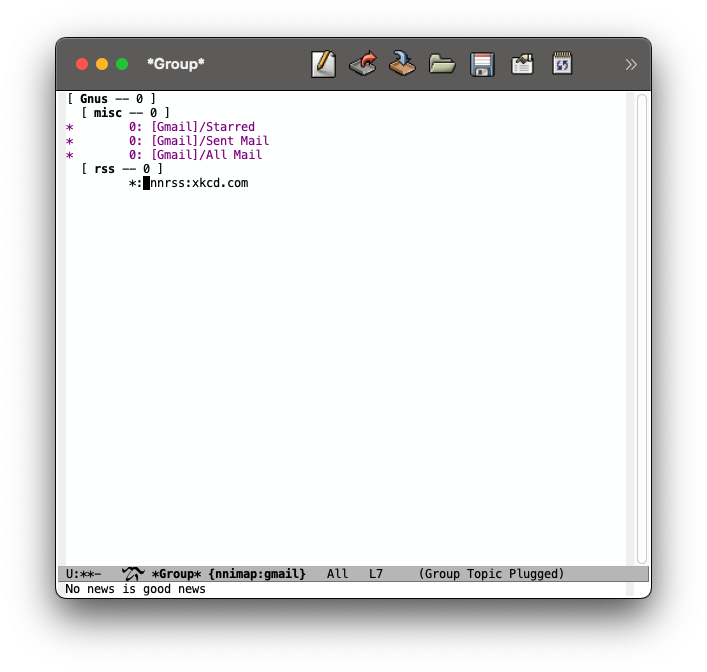
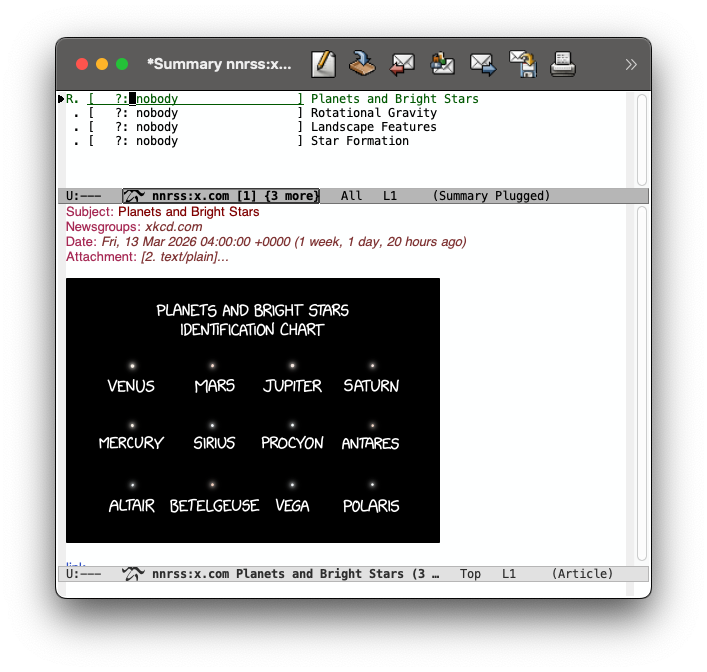
Now, I can RET into this group and peruse the feed just like my email. It's also helpful to use SPC to navigate down the open article until you reach the bottom, then continue to the list in the list. Reading through a group uses a two-buffer setup like this, by default:
The last screen that I haven't mentioned yet but regularly use is the server list. From the group page, press ^ to switch to the *Server* buffer. From here, you can navigate to servers such as {nnrss:} and {nnimap:gmail} to view all of the groups (even non-subscribed ones) that you are in. For instance, this is how I navigate to [Gmail]/All Mail or [Gmail]/Sent Mail.
Like any good piece of Emacs-related software, Gnus has been in development for decades and spans a dizzyingly large number of use cases. Gnus was originally built to read through Usenets groups, but it's extensibility and adherents have expanded its mission to all forms of internet-based news. What I've discussed on this page is just a small fraction of how Gnus can be used; this is just what I have managed to do with it.
Last updated March 22, 2026